
Edit your profile
Your profile holds your first name, last name, photo and the email address you log in with. Your first name and photo are shown at the top right of the dashboard.
Edit your information
Section titled “Edit your information”-
Open your account menu, top right, then Settings.
-
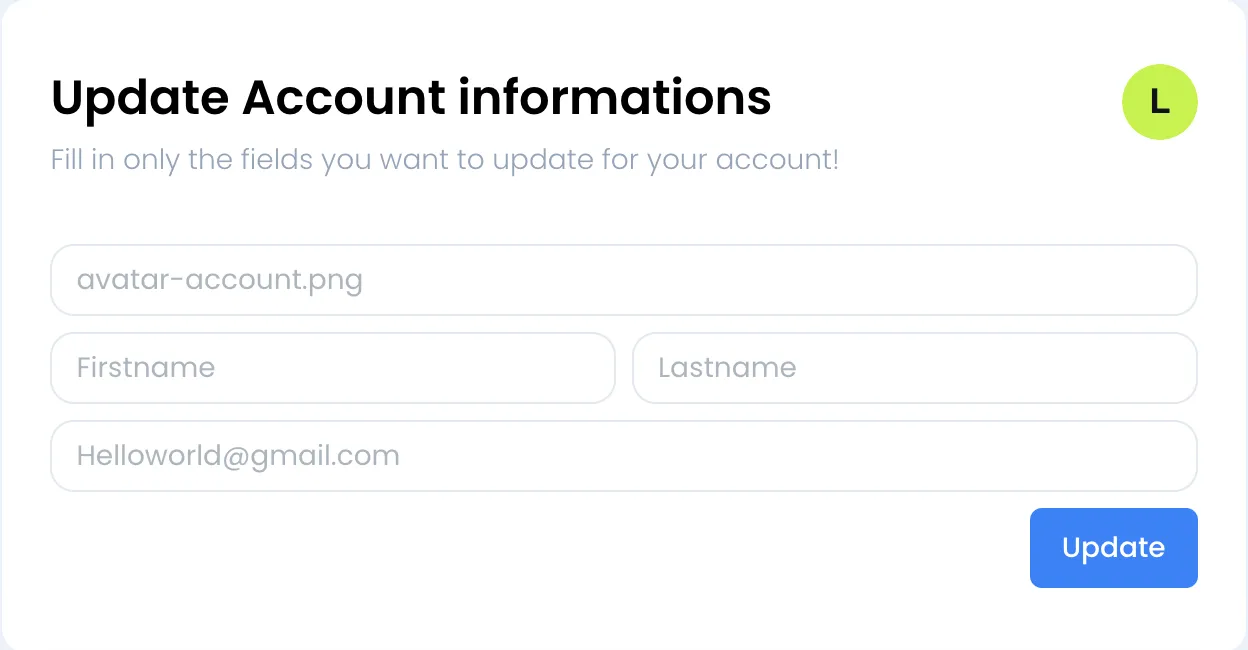
The first card is titled Update Account informations. All its fields are empty: fill in only the ones you want to change.
-
Click Update. The message Your account information has been updated successfully. appears and the fields are cleared.
The fields of the card have no label, only a sample text:
- Photo: the first field, which shows
avatar-account.png, opens the file picker. Choose a PNG or JPEG image of 1 MB or less. It replaces the avatar shown in the header and in the card. - Firstname and Lastname: at least 2 characters each. Your first name appears in the dashboard header.
- Email address: the last field, which shows
[email protected], takes your new login address. Read the next section before changing it.
Change your email address
Section titled “Change your email address”Changing your email address suspends your account until you confirm the new address.
-
Enter the new address in the email field and click Update.
-
Sweescape sends an email titled “Confirm your new email address” to the new address.
-
Click the Confirm new email button in that email within the hour. The message Account confirmed successfully! appears.
-
Log in with your new address.
If the address is already used by a Sweescape account, including yours, the message Email already used, please use another one! appears and your address is not changed.
Change your password
Section titled “Change your password”The profile card has no password field. To change it, use the reset process:
-
Open your account menu and click Sign out.
-
On the login page, click Forgot Password?.
-
Follow the steps: a 6-digit code is sent to you by email, then you choose a new password.
The details and the password rules are in Create your account.
Error messages
Section titled “Error messages”| Message | Cause |
|---|---|
| Avatar size is invalid, max size is 1Mo! | The image is larger than 1 MB. Resize or compress it. |
| Avatar type is invalid! | The image is neither PNG nor JPEG. |
| First name is invalid! or Last name is invalid! | The field contains a value that was refused. |
| Email format is invalid! | The address entered is not a valid email address. |
| Email already used, please use another one! | A Sweescape account already uses this address. |