
Plans and subscription
Sweescape offers three plans: the Free Plan, the Advanced Plan and the Agency Plan. You pay for your subscription through Stripe, and Sweescape takes no commission on your ticket sales.
What each plan unlocks
Section titled “What each plan unlocks”| Free Plan | Advanced Plan | Agency Plan | |
|---|---|---|---|
| Events created by importing a list of attendees | Yes | Yes | Yes |
| Events with ticketing and a ticketing page | No | Yes | Yes |
| Brands | 0 | 1 | 5 |
| Stripe accounts | 0 | 1 | 5 |
| Ticketing domains (your own domain) | 0 | 1 | 5 |
| Email sending domains | 0 | 1 | 5 |
| Collaborators on the same event | 0 | 1 | 5 |
| Automations | No | Unlimited | Unlimited |
| Audiences and campaigns | No | Yes | Yes |
| AI credits per month | 0 | 25 | 50 |
The price of each plan is shown in the subscription grid when you subscribe. SMS credits are bought separately, whatever your plan: see Send the invitation by SMS.
The brand, the unit of your subscription
Section titled “The brand, the unit of your subscription”A brand is an identity under which you sell tickets. Each brand has:
- its own ticketing domain, for example
tickets.subsol.fr; - its own sending domain, so that emails leave from the brand’s address and not from Sweescape;
- its own Stripe account, to collect payments with its own legal entity;
- its own team access, to let a collaborator in.
The Advanced Plan covers one brand: it suits an organizer or promoter selling under their own name. The Agency Plan covers five: it suits an agency running ticketing for several clients.
Managing more than five brands? When you reach the Agency Plan limit, the subscription window shows Contact us: Sweescape can raise the limit for your account.
Subscribe
Section titled “Subscribe”-
Open your account menu, top right, then Settings.
-
In the Subscription card, click Subscribe.
-
Stripe’s plan grid appears. Pick your plan and pay on Stripe’s secure page.
-
Come back to Sweescape and reload the Settings page: the Subscription card now shows your plan.
Your plan is activated automatically as soon as Stripe confirms the payment. You can also subscribe from the subscription window, when it opens on a feature your plan does not include.
The subscription window
Section titled “The subscription window”When you try to use a feature your plan does not include, a window opens and explains what is blocking.
- The badge reads Subscription Required if you have no subscription, or Upgrade to followed by the required plan, for example Agency Plan, if you have one.
- The title names what you were trying to add when the brand limit is reached: One Stripe account per brand, One ticketing domain per brand, One sending domain per brand or One team access per brand. Otherwise it reads Unlock Sweescape or Premium Feature and recalls what a subscription unlocks: automations, audiences and campaigns, built-in AI.
- The bottom button reads Subscribe to Sweescape, Upgrade Now or, beyond the Agency Plan, Contact us, which opens an email to the Sweescape team.
The Subscribe to Sweescape or Upgrade Now button opens the plan grid. The arrow at the top left of the grid goes back to the explanation. When an action is refused because your subscription has ended, the window opens directly on the grid.
The features that open this window: creating an event with ticketing, connecting a Stripe account, adding a ticketing domain or a sending domain, adding a collaborator, creating an automation, an audience or a campaign.
Manage, change or cancel your subscription
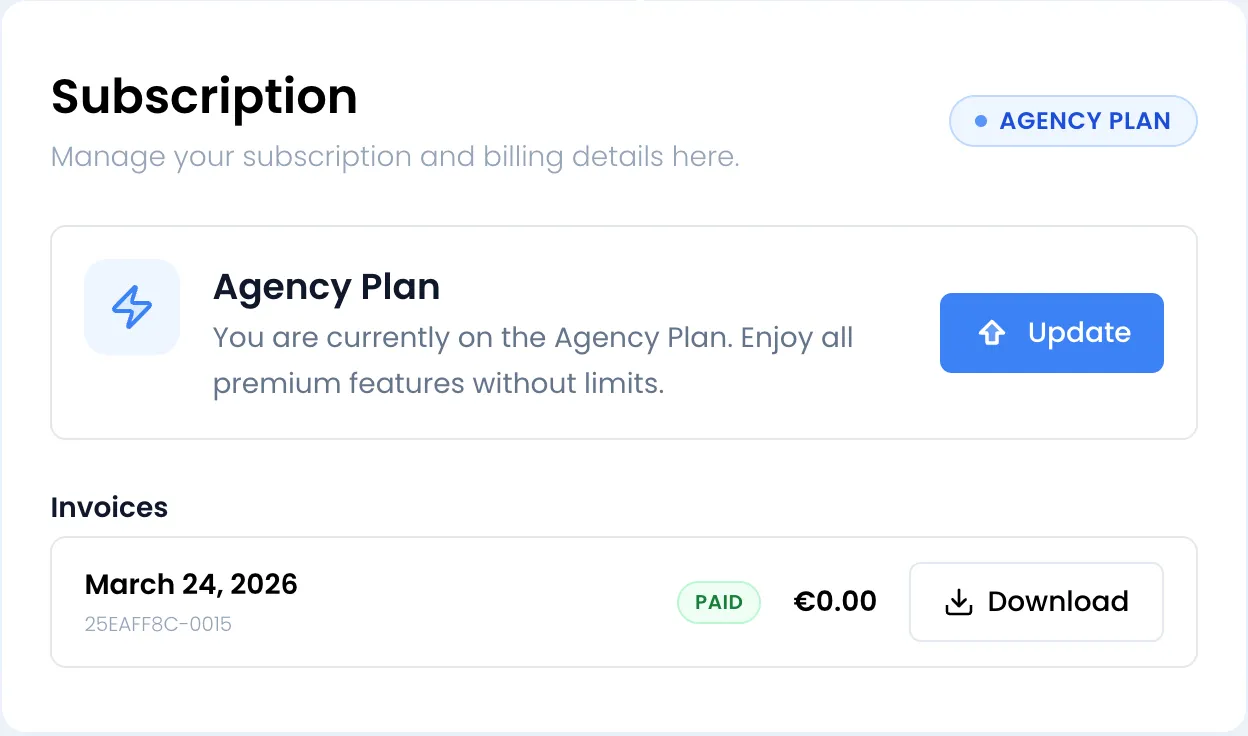
Section titled “Manage, change or cancel your subscription”In Settings, the Subscription card shows your plan and an Update button.
-
Click Update. Your Stripe customer portal opens in a new tab.
-
Manage your subscription and billing details there.
-
Come back to Sweescape and reload the Settings page.
Changes made in Stripe, such as a plan change or a cancellation, are applied automatically to your Sweescape account.
Your invoices
Section titled “Your invoices”Below your plan, the Invoices list shows your 24 most recent Sweescape invoices (subscription and SMS credits): date, number, Paid or Unpaid status, amount and a Download button to get the PDF. It only appears once you have your first invoice.
When your subscription ends
Section titled “When your subscription ends”When Stripe ends or pauses your subscription, your account loses the paid features:
- the Subscription card shows Free Plan and the Subscribe button again;
- the features reserved for paid plans open the subscription window;
- your events, attendees and settings stay in place;
- your ticketing pages that are already published keep selling. If you use your own domain, visitors are redirected to the Sweescape address of the ticketing until you subscribe again.
To start again, click Subscribe and choose a plan.
AI credits
Section titled “AI credits”The AI built into the dashboard (writing emails, ticket suggestions, invitation analysis, feedback summaries in SweeAnalytics) uses one credit per request. The Advanced Plan gives 25 credits per month, the Agency Plan 50.
The counter resets on the first day of each month. When your credits run out, the message You have reach your AI limit! appears.