
Work as a team on an event
A collaborator is another person, with their own Sweescape account, to whom you open a specific event: your business partner, your ticketing manager, the agency handling the door. Access is granted event by event: a collaborator only sees the events you have added them to.
Before you start
Section titled “Before you start”- Your collaborator needs a Sweescape account, created with the email address you are about to enter, and confirmed. Sweescape does not create an account for them.
- Your plan must allow it. Collaborators require an active subscription to the Advanced Plan or the Agency Plan. The number of collaborators per event depends on the plan: 1 with the Advanced Plan, 5 with the Agency Plan. Beyond that, or without the right plan, the subscription window opens with the title “One team access per brand”. See Plans and subscription.
- You must be the event owner. A collaborator cannot add or remove other collaborators.
Add a collaborator
Section titled “Add a collaborator”-
Open the event, then the Settings tab.
-
In the Event Collaborators card, click the “Mail address of your collaborator” field.
-
Type your collaborator’s email address, then press Enter.
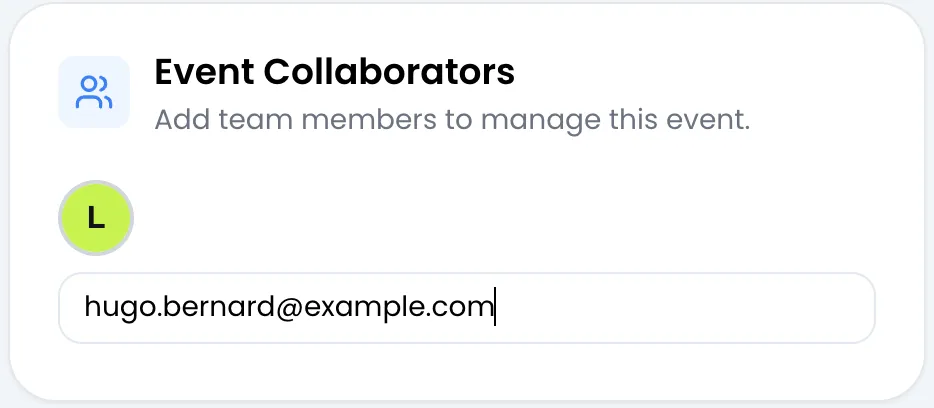
Once the address is accepted, it appears as a tag in the field, and an avatar with the first letter of the email appears above it, after the avatar that is always shown. Hover over the avatar to read the full address.
Remove a collaborator
Section titled “Remove a collaborator”In the “Mail address of your collaborator” field, click the small cross on the tag to remove. The removal is immediate, with no confirmation: the message “Co-worker deleted successfully!” appears and the event disappears from their list.
What a collaborator can do
Section titled “What a collaborator can do”| Action | Collaborator | Owner |
|---|---|---|
| See the event in their list and calendar | Yes | Yes |
| Manage attendees: add, import, edit, delete, check in, custom fields | Yes | Yes |
| Tickets, codes, ticketing page, custom domain | Yes | Yes |
| Invitations, PDF ticket, Wallet passes, automations, extensions | Yes | Yes |
| See the list of collaborators | Yes | Yes |
| Change the name, address, dates or image | No | Yes |
| Add or remove collaborators | No | Yes |
| Duplicate or delete the event | No | Yes |
| Turn attendees into an audience | No | Yes |
Error messages
Section titled “Error messages”| Message | Cause |
|---|---|
| User does not exist! | No Sweescape account uses this address. Ask your collaborator to create an account, then try again. |
| User is inactive! | The account exists but is not active, for example because its email address has not been confirmed yet. |
| User already a co-worker! | This person already has access to the event, or you entered your own address. |
| Invalid email! | The address is misspelled. |
| You have not the permission to add a co-worker! | You are not the event owner. |
| You have not the permission to delete a co-worker! | You are not the event owner. |